Home » PC Tips
Setting up a CA SSL certificate in hMailServer

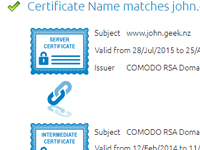
I’m a big fan of hMailServer, but the documentation for setting up SSL certificates and the certification chain is a bit lacking. The easiest way to check if hMailServer is setup correctly is to use OpenSSL. openssl.exe s_client…
Read More »Stopping Javascript from resizing the window in Firefox
One of my pet hates on the internet is shopping sites which resize the window when you’re looking at a zoomed in image. Not all of us still use a windowed browser, in fact, most people now use…
Read More »Combining two images with ImageMagick
To combine two images of the same size with ImageMagick, you simply do the following: The following will overlay overlay.png on top of output.png mogrify -draw "image SrcOver 0,0 0,0 ‘overlay.png’" output.pngmogrify -draw "image SrcOver 0,0 0,0 ‘overlay.png’"…
Read More »Selective colour replacement with imagemagick
Selective colour replacement is easy from the command line with imagemagick. You can download imagemagick from http://www.imagemagick.org/ The following will replace all red (#FF0000) pixels with blue (#0000FF) convert sourceimage.png -fill "#FF0000" -opaque "#0000FF" destimage.pngconvert sourceimage.png -fill "#FF0000"…
Read More »Deleting folders recursively
I needed recursively delete folders named .svn within a directory structure. The following will allow you dto do this from a command prompt: FOR /F "tokens=*" %G IN (‘DIR /B /AD /S .svn’) DO RMDIR /S /Q %GFOR…
Read More »IIS 6- Setting up a write only FTP directory
So, you want to set up a write only ftp directory on IIS? One where you can upload files, but not list them? Easy…
Read More »WordPress Super Cache plugin – Performance Benchmarking
I’ve been doing some performance tests on WordPress to see how much of a difference the WordPress Super Cache plugin made. It turns out that the plugin makes a huge difference.
Read More »DateTimeUTC – Version 1.1
I’ve been using DateTimeUTC for quite some time in batch files to get a nicely formatted date. This is the first major revision of DateTimeUTC where you can now add or subtract from the current date. This is…
Read More »Enca binary compiled for 32 bit Windows
Enca is a (normally *nix) application which attempts to detect the text encoding of files. It’s only supplied as source which isn’t too helpful for windows users. Enca is particularly useful at guessing the encoding of text files…
Read More »IIS 6 FTP – When PassivePortRange doesn't work
I’ve been trying to enable the passive port range on an IIS6 FTP server. I did everything. I enabled direct metabase edit, set the range using ADSUTIL and then added the ports to the firewall. It turns out…
Read More »