Home » Tips
Laird RG191 gateway on TTNv3 (AU915)


Before the advent of cheap(ish) LoRaWAN gateways, the most cost effective option for me was to put a Laird RG191 in a waterproof enclosure, add PoE input and an external antenna connector. These gateways worked fine on The…
Read More »RFE TPA-PAF Slant 45 Mod

Here’s how to modify an RF Elements Twist Port Adapter from H+V to Slant 45. Note that this change DOES NOT change an attached antenna from H+V to Slant 45, it just corrects the orientation of the Twist…
Read More »RFE Ultrahorn Slant 45 Mod

RF Elements make an excellent lineup of horn antennas with a twistport waveguide antenna. Unfortunately they come out of the box in a H+V (Horizontal + Vertical) configuration. Slant 45, or X polarity simply means that the H+V…
Read More »Using LetsEncrypt with Ubiquiti Unifi Video server

I’ve spent a lot of time scratching my head trying to get LetsEncrypt, or more accurately certbot working with Ubiquiti UniFi Video server, especially auto-renewing the certificate every month or so. I found two posts on the Ubiquiti…
Read More »SQL Tips – List of Countries (2018 revision)

Over nine years ago, I published a SQL and tab delimited list of countries sourced from Wikipedia and ISO. After numerous comments about it being out of date, here is an updated version….. The data was sourced from…
Read More »Setting up a CA SSL certificate in hMailServer
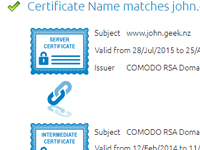
I’m a big fan of hMailServer, but the documentation for setting up SSL certificates and the certification chain is a bit lacking. The easiest way to check if hMailServer is setup correctly is to use OpenSSL. openssl.exe s_client…
Read More »1,500,000,000 the Epochening

Don’t forget that at 2:40am, 14 July 2017 (UTC) the Linux epoch will hit 1,500,000,000 (1.5 Gigaseconds). Visit https://www.john.geek.nz/epoch to watch the excitement! It hit 1,000,000,000 back in September 2001 and it won’t hit 2,000,000,000 until May 2033.
Read More »dump1090 binary built for Raspberry Pi / Arm

If you’re after a binary of dump1090 for the Raspberry Pi without having to build it, here’s a compiled binary for you. I built it on Arch linux, but it also works on Raspbian, or likely any other…
Read More »iPhone templates for UI prototypes
I’ve recently started doing a lot of development for the iPhone and iPad and I wanted to be able to sketch layouts on paper. Now it’s one thing to draw a rough iPhone layout, but it’s another to…
Read More »Converting PDF files to HTML on Ubuntu
It’s very easy to convert PDFs to HTML on Ubuntu. The command is pdftohtml
Read More »